Meeting Room Booking System in Mauritius
BFC Ltd builds, hosts and maintains a cloud meeting room booking system for shared office buildings, business parks and coproprietes in Mauritius. Tenants see live availability, book a slot in seconds and get instant email confirmation. No accounts, no phone calls to the syndic, no double bookings. Rs 1,600 per meeting room per month.
Two different buildings, one platform. Same booking engine, same admin panel, two completely different identities — this is what white-labelling actually looks like. Press play on either one — nothing downloads until you do, and each tour plays through once and then stops.
The problem in a shared building
In a copropriete or a multi-tenant business park, one common meeting room is typically shared by ten or twenty completely independent companies. Those companies have no reason to talk to each other and no shared calendar, so the room gets managed with a paper sheet at reception, a WhatsApp group nobody reads, or a phone call to the syndic. The result is predictable: two firms turn up for the same 10 a.m. slot, a client meeting gets moved to the corridor, and the room still sits empty half the week because nobody knows it is free.
This system removes the middleman. Every tenant looks at the same live calendar from their phone, books the slot they need, and everyone else sees it instantly. The syndic stops arbitrating disputes and starts getting a usage record instead.
How it works
- The building gets its own booking address, for example a subdomain of your own domain, printed on a QR poster stuck to the meeting room door.
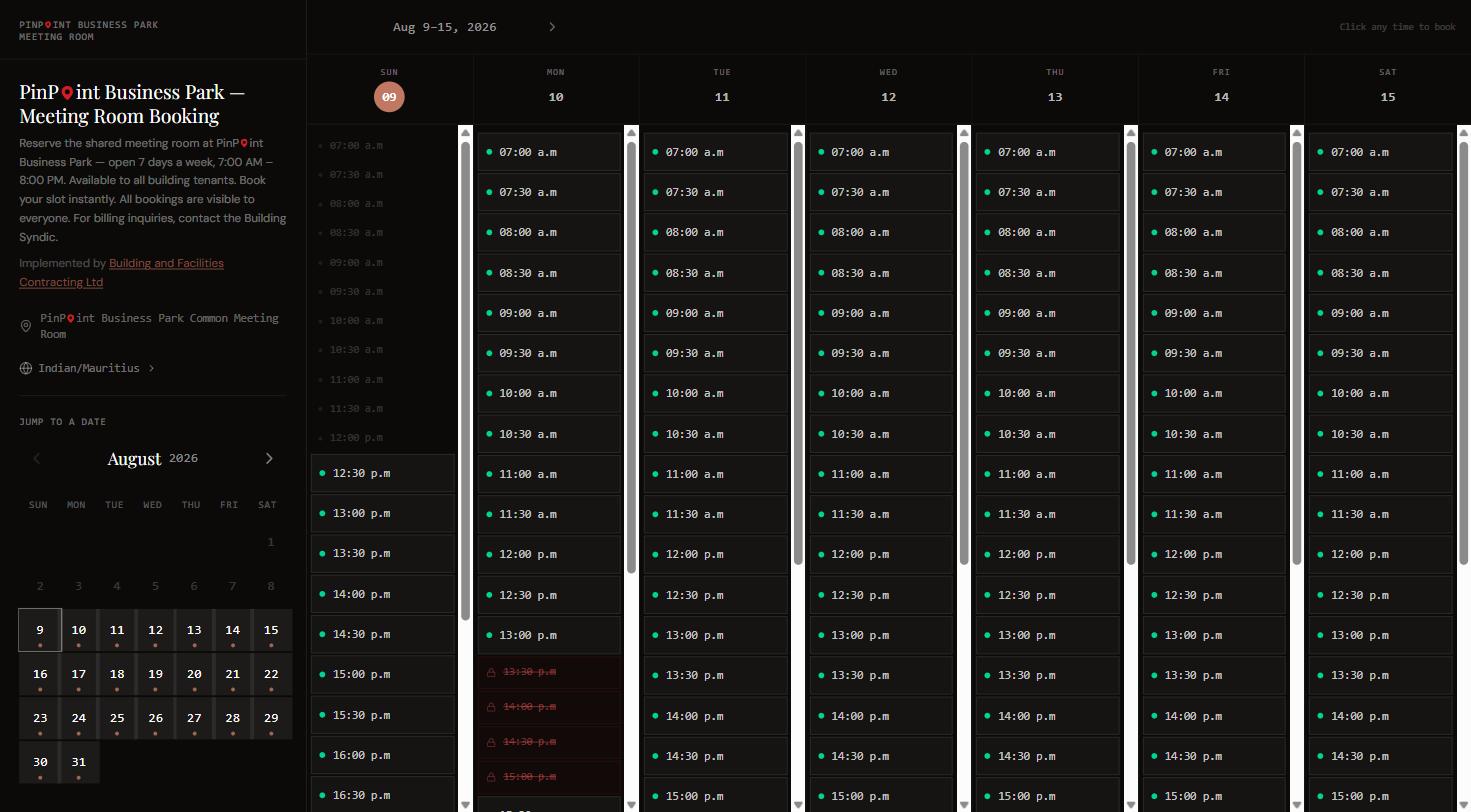
- A tenant opens the link and sees a live week grid with every 30 minute slot marked available or taken.
- They pick a time, enter their name, company and email, and submit. No account, no password.
- A confirmation email arrives immediately with the booking details and a one-click cancellation link.
- The calendar updates for the whole building at once, so the next tenant to look already sees the new booking.
Two of the eight systems, live right now
These are live production sites we run for clients today. Same engine, completely different skin. Between them we run eight meeting rooms on eight separate sites — one at Ebene Junction, and seven at PinPoint Business Park, where every bloc gets its own page.
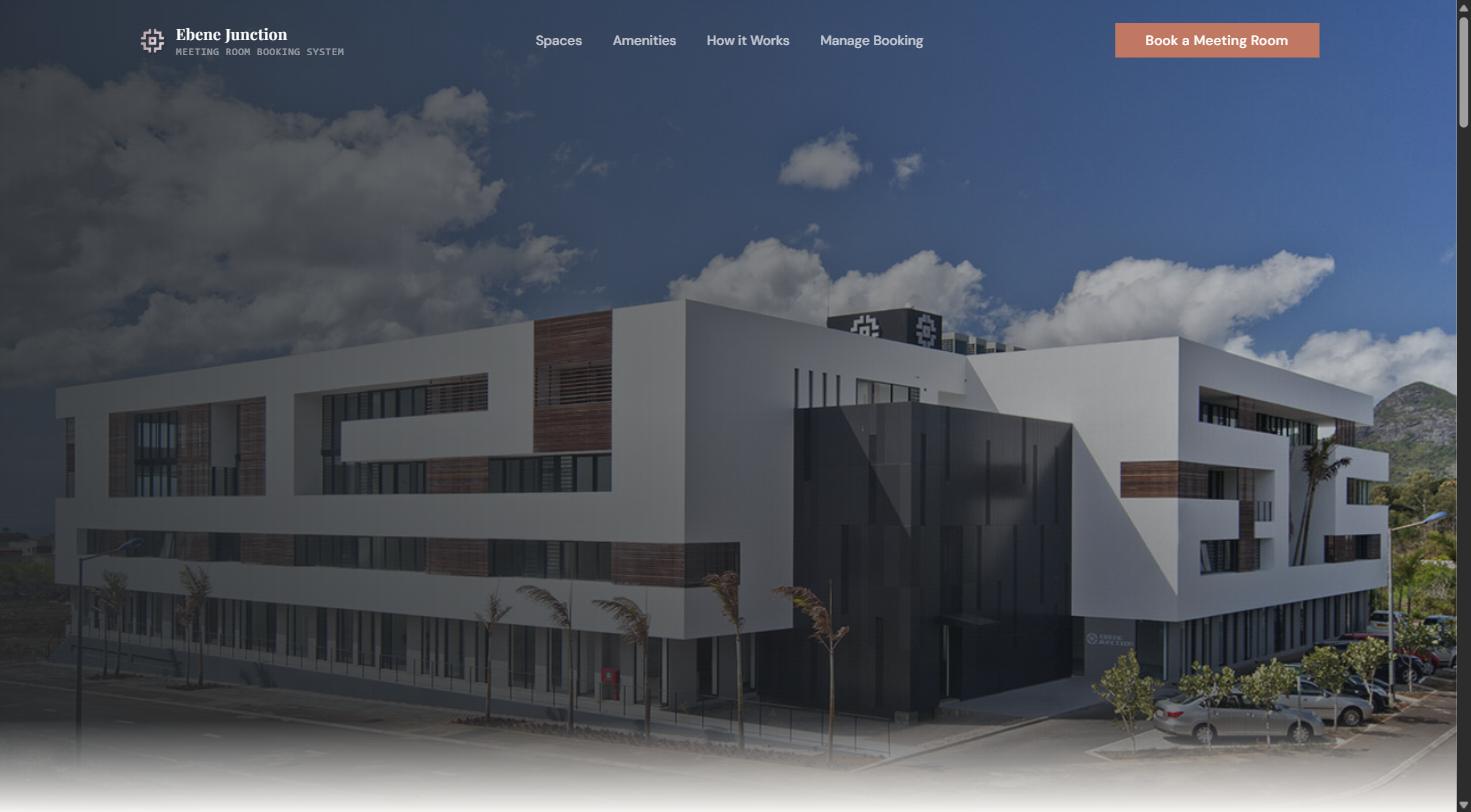
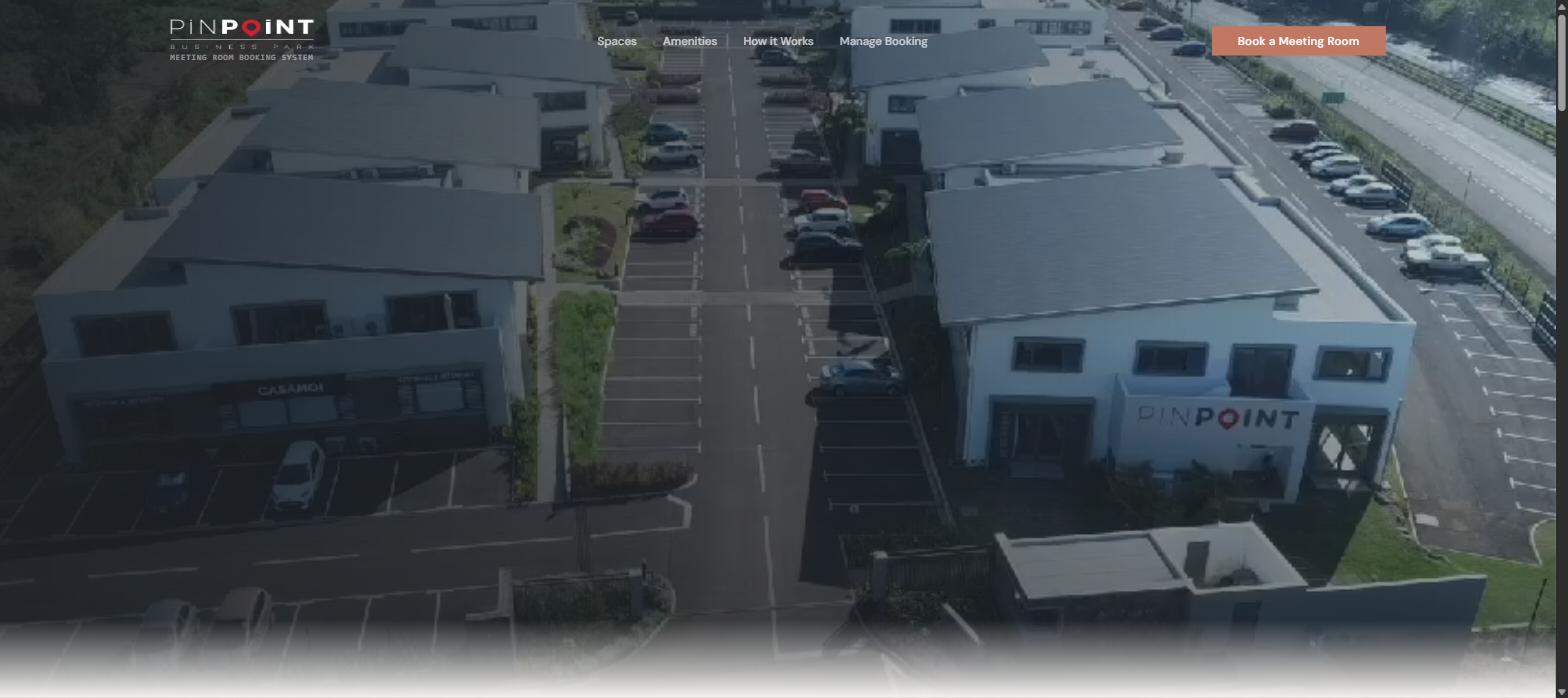
Watch the guided tour of both systemsRequest a private live demo
What is included
- Private admin area for the building owner or syndic - full booking register, Excel export, and day-by-day control of when the room is open
- Live weekly availability grid, colour coded booked against available, with a "now" marker
- Today view showing number of bookings, hours booked and open slots remaining
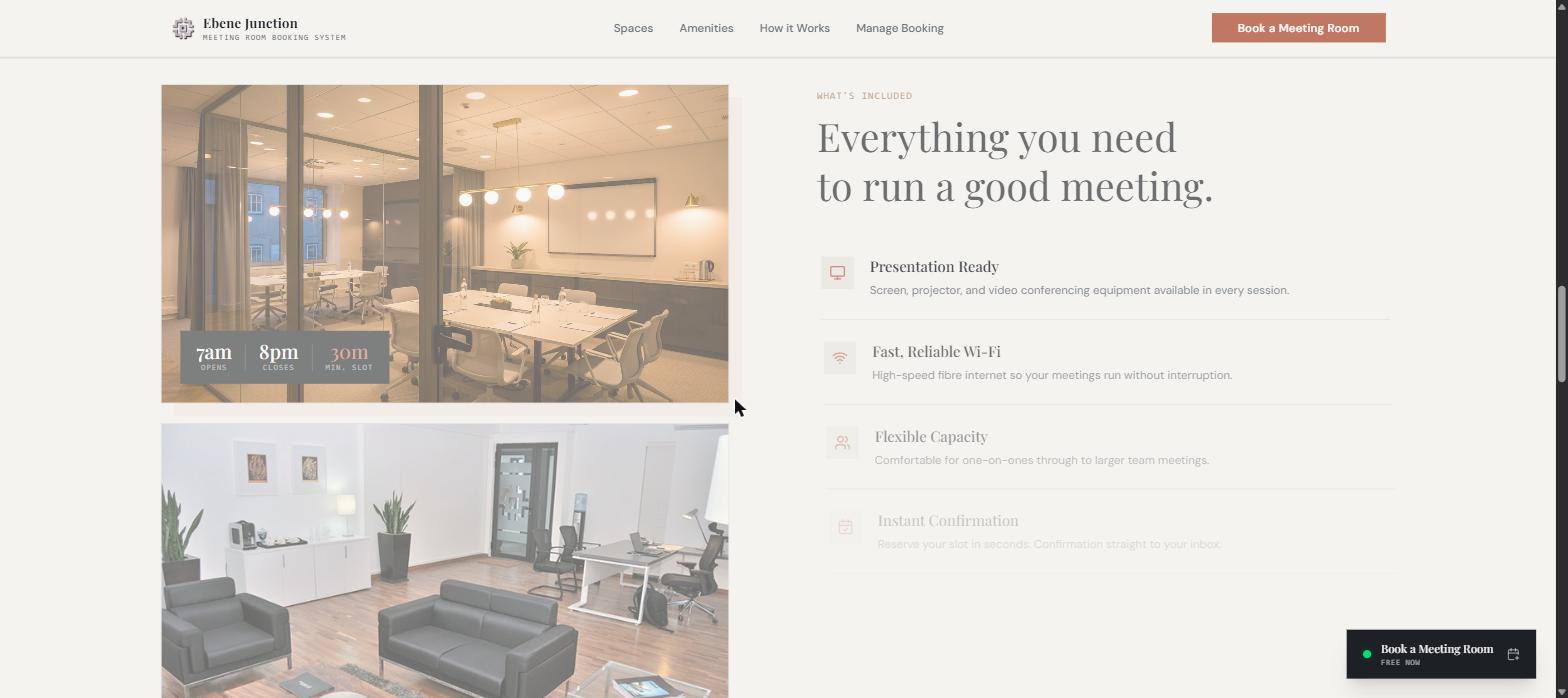
- Thirty minute minimum slots, with opening hours configured to your building (7 a.m. to 8 p.m. as standard)
- Instant email confirmation with a one-click cancellation link, no login required
- Printable QR code poster so anyone can book from the meeting room door in seconds
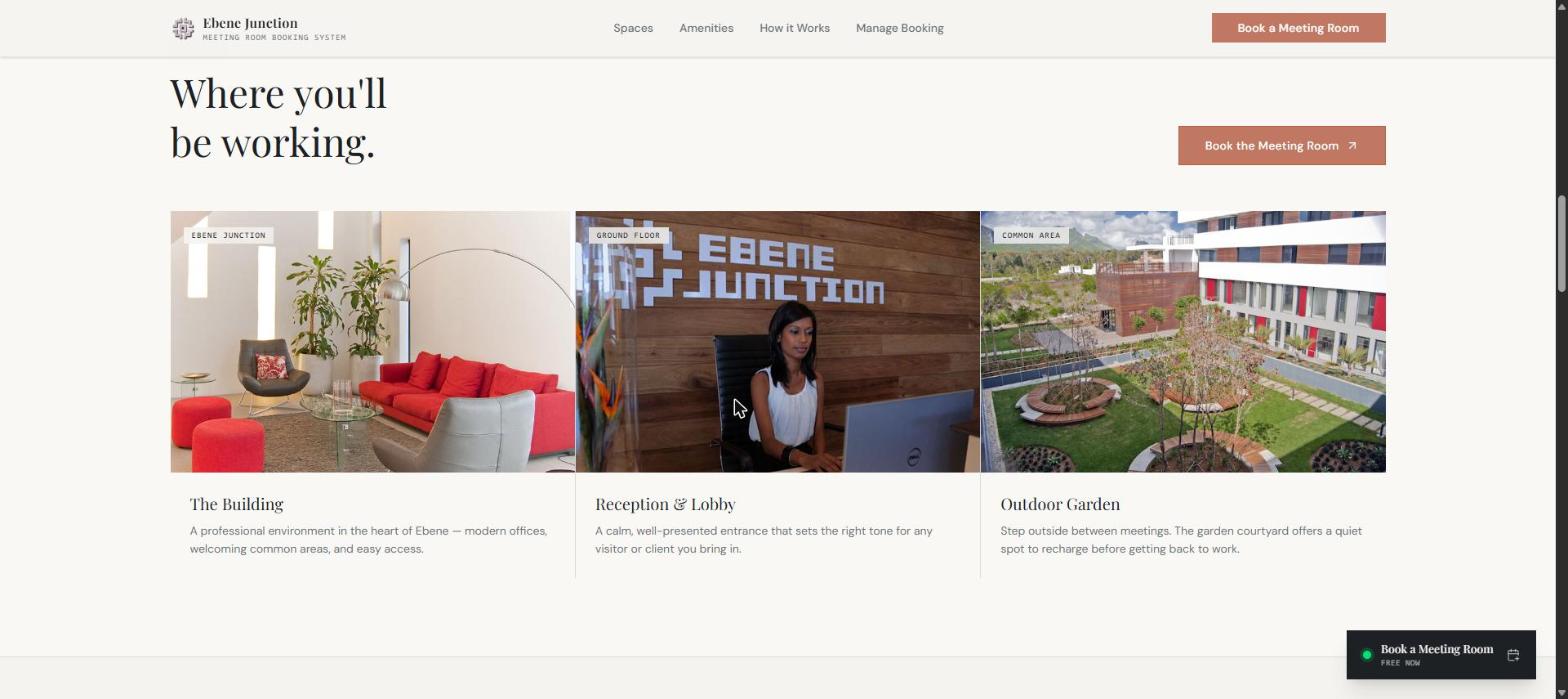
- Photo gallery of the building, reception and common areas
- Amenities list - screen, projector, video conferencing, Wi-Fi, capacity, privacy
- Mobile first, works from any phone browser without an app
- Hosting, SSL certificate, backups, monitoring and updates handled by BFC Ltd
- Your own subdomain, or a subdomain of your own company domain
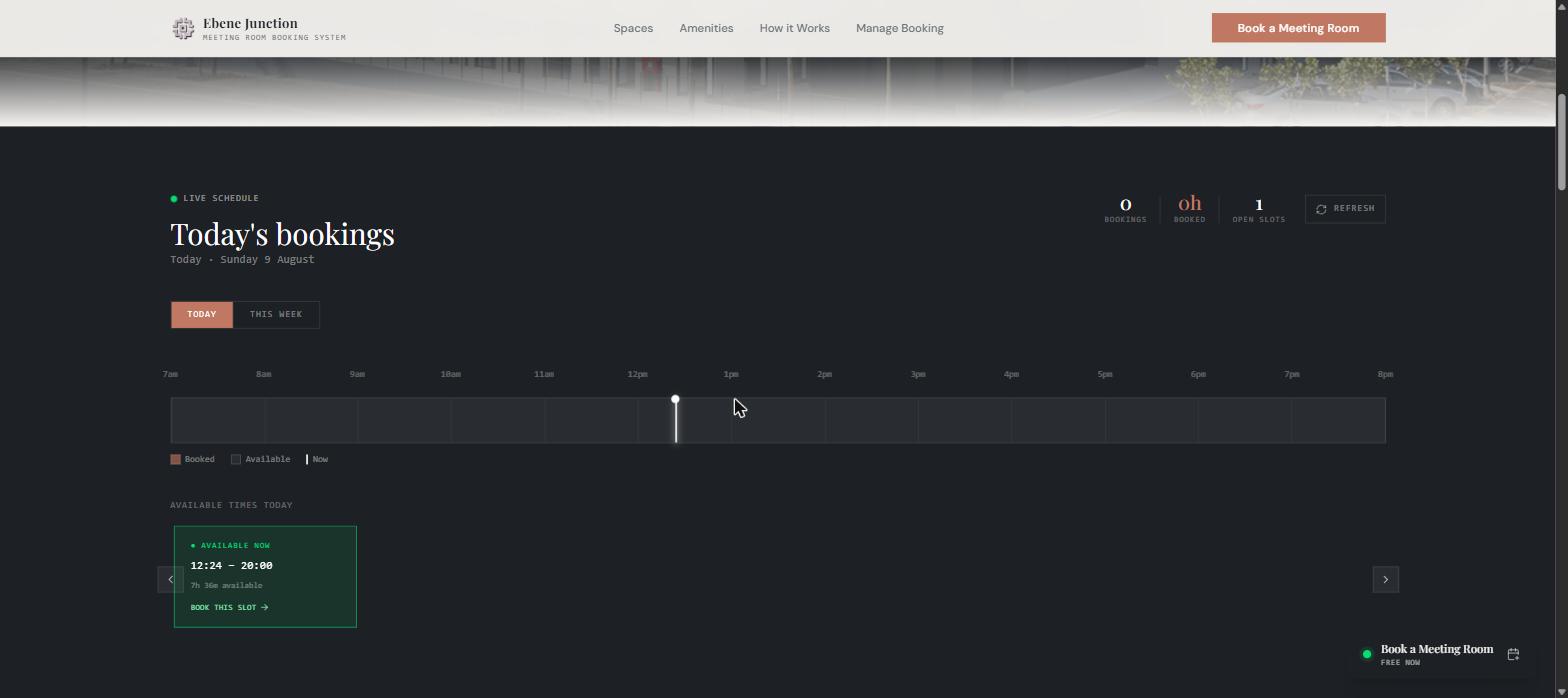
The admin side: total control for the building owner or syndic
Tenants only ever see the calendar. Behind it sits a private, password-protected admin area for whoever actually manages the building — the owner, the property manager or the syndic. It answers the three questions a syndic is asked every week: who booked the room, when is it booked, and can we close it on that date.
Every booking in one register
A single filterable register of all bookings in the building: date, time, room, company name, contact e-mail, notes and status. Filter by month, or switch to Today and Upcoming. No more guessing who is in the room at 10 a.m. — the owner sees every booking, from every tenant, in one place.
One-click export to Excel
Export the register to Excel with a single button. Use it for the AGM pack, for the quarterly report to co-owners, to recharge heavy users, or simply to keep a clean record of occupancy across the year.
You decide which days are open
Switch each day of the week on or off and set its opening and closing time, day by day. Close on Sunday, finish at 5 p.m. on Friday, open late on Wednesday — it is a toggle in your own admin panel, not a support ticket to us.
Block dates for holidays and works
Block a public holiday, an AGM, a fumigation, a power shutdown or a maintenance window, with a date and a reason. Blocked dates disappear from the tenant calendar immediately, so nobody can book a room that is not available.
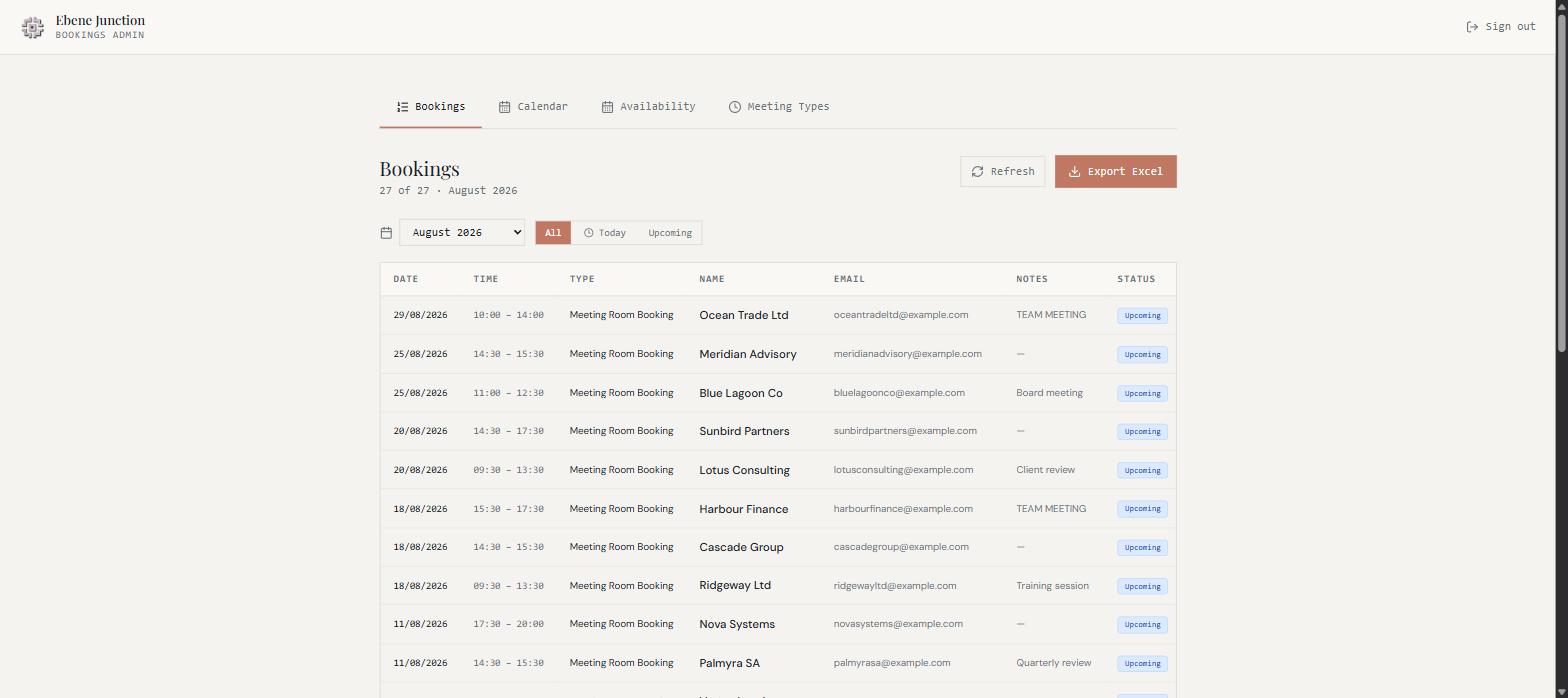
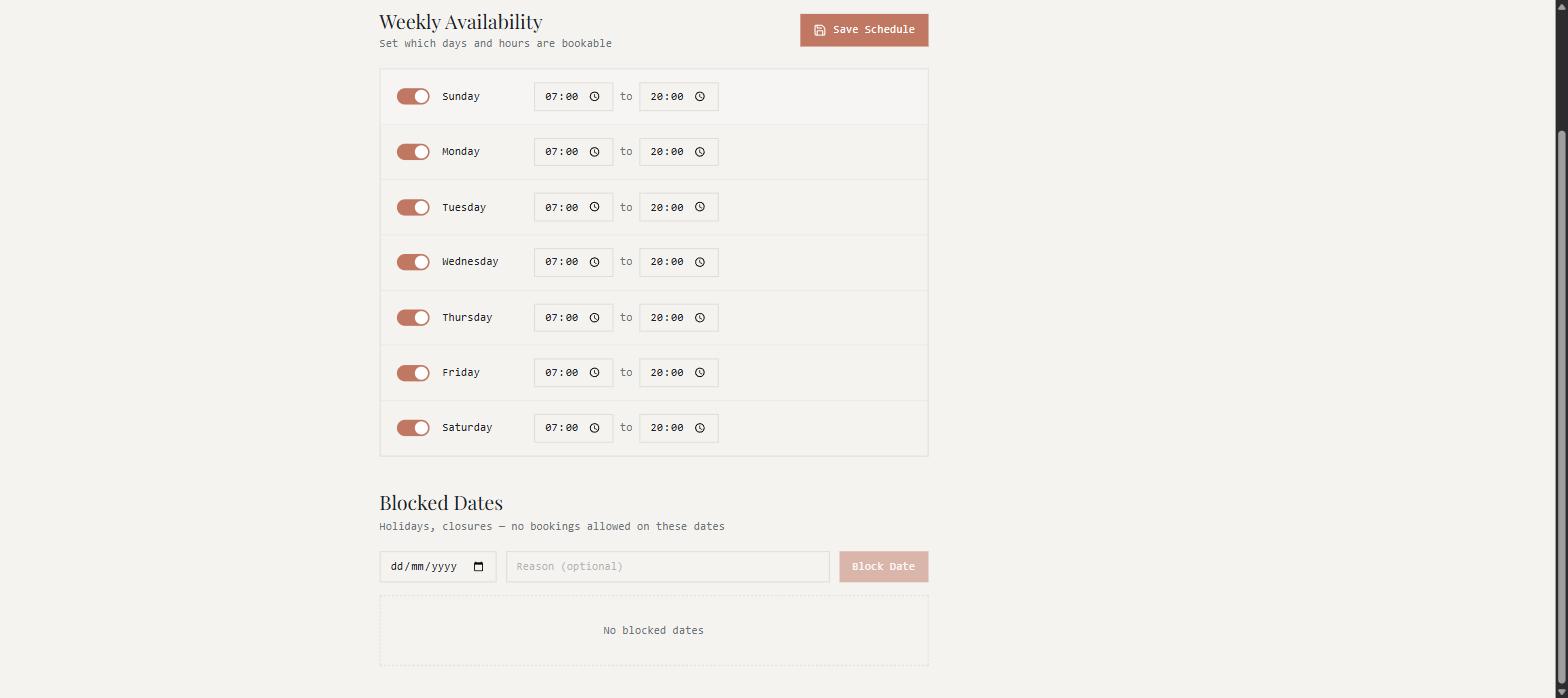
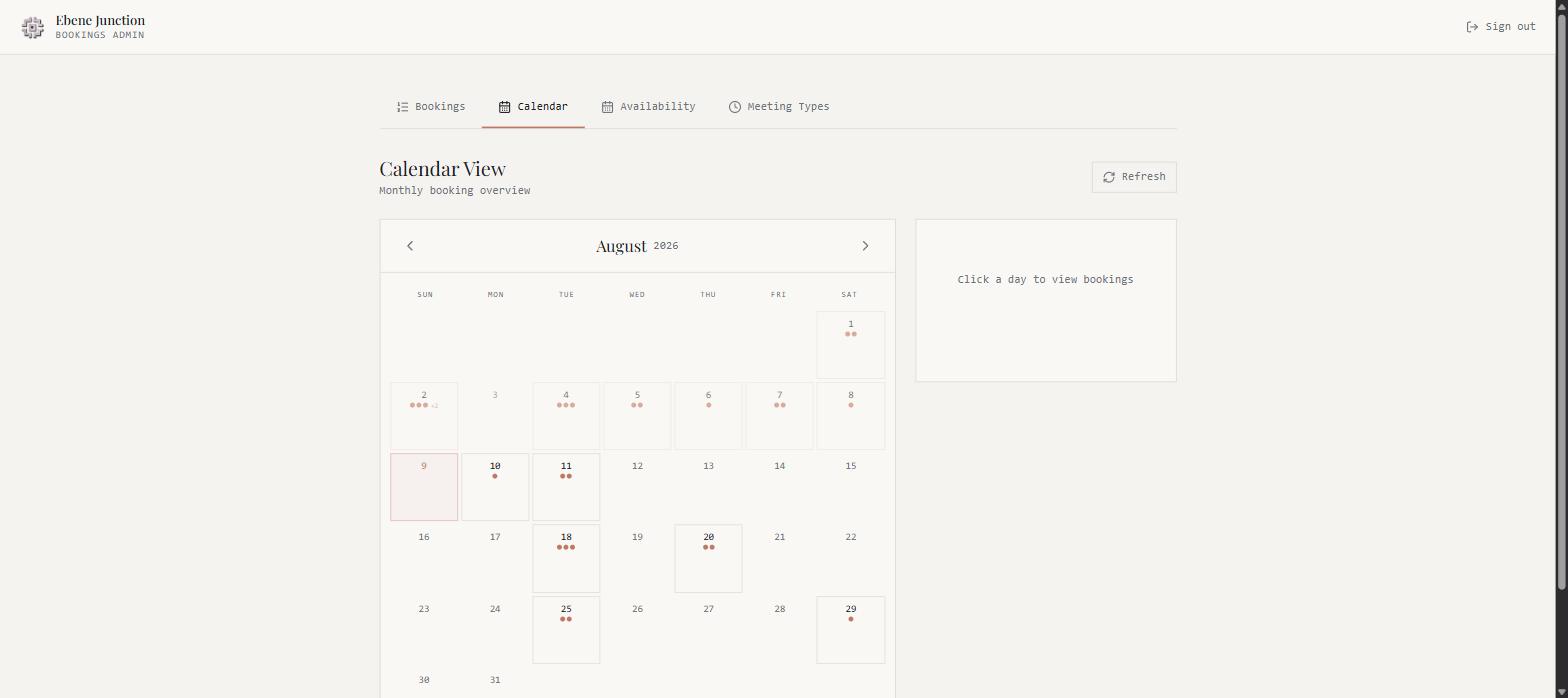
Why this matters for a syndic. The meeting room is a common part, and the syndic answers for it. This gives you a defensible record of who used the room and for how long, a closure calendar you control centrally, and an export you can attach straight to a report to the co-owners — with no paper sheet at reception, no WhatsApp group, and no arbitrating between two tenants who both believe the room is theirs at 10 a.m. Admin access is by login, so only the people you nominate can see the register.
Adapted to your building, not ours
The system is white-labelled. Nothing on it says BFC unless you want it to. We configure your logo, your colour palette, your typography, your building name and your own photography, then we set the operating rules to match how your building actually runs.
Your identity
Logo, colours, fonts, building name, photography of your reception, garden and meeting room.
Your rules
Opening and closing hours, minimum slot length, maximum booking duration, how far ahead tenants can reserve.
Your amenities
The equipment list is yours - screen, projector, video conferencing, whiteboard, capacity, catering, parking.
Your address
Runs on your own domain or a subdomain, with SSL, so tenants see your name in the browser bar.
One page per bloc
An estate split into several blocs gets a separate site for each one. PinPoint Business Park runs seven, Bloc 1 through Bloc 7, each on its own subdomain with its own meeting room and its own schedule.
Room to grow
Add a bloc, a second meeting room or a new amenity later and it inherits the same design and the same admin panel. Nothing has to be rebuilt.
Pricing
Software as a service
Rs 1,600 per meeting room / per month
Approximately USD 34 per meeting room per month
- Hosting, SSL, backups and monitoring included
- Ongoing maintenance, security updates and support included
- Branding and content changes as your building evolves
- Unlimited tenants and unlimited bookings - no per user or per booking fee
- Each additional meeting room in the same building is licensed at the same monthly rate
One-off setup, custom photography or a dedicated domain are quoted separately.
Who this is for
- Coproprietes and syndics with a shared common meeting room used by independent tenants
- Business parks and multi-tenant office blocks in Ebene, Port Louis, Moka and Grand Baie
- Coworking and serviced office operators who need a public availability page
- Corporate offices tired of double bookings across internal meeting rooms
- Hotels, training centres and associations that rent rooms out by the hour
Why BFC Ltd
We manage buildings for a living, so we did not design this from a software brief. We built it because we saw the same argument happen at reception in building after building. Eight booking systems are live on our platform today, including Ebene Junction and PinPoint Business Park, and the same team that maintains your MEP and fabric maintains the booking system - one contact, one invoice, one point of accountability.
Want to see it running on your own building name and logo? Send us your building details and the number of meeting rooms, and we will set up a branded demo you can share with your tenants.
Or call and WhatsApp +230 5724 5224
Frequently asked questions
How much does a meeting room booking system cost in Mauritius?
Rs 1,600 per meeting room per month, roughly USD 34. That is the all-in price - hosting, maintenance, support and branding are included, and there is no charge per tenant or per booking.
Do tenants need to create an account?
No. A tenant opens the link, picks a slot, enters their name, company and email, and the booking is confirmed. Cancellation is a one-click link in the confirmation email.
Can it carry our own logo and domain?
Yes. The system is white-labelled - your logo, colours, building photography, amenity list and your own domain or subdomain with SSL.
What if the building has more than one meeting room?
Each room is licensed at Rs 1,600 per month and all rooms appear in the same system, so a tenant can compare availability across rooms in one view.
Who hosts and maintains the system?
BFC Ltd. Hosting, SSL renewal, backups, monitoring and updates are all on us, which is why it is a monthly subscription rather than a one-off build.
Can the building owner or syndic see who has booked the room?
Yes. The admin area holds a complete register of every booking - date, time, room, company, contact e-mail, notes and status - and it can be exported to Excel in one click for reports, AGM packs or recharging.
Can we close the room on certain days?
Yes. The admin controls which days of the week are bookable and the opening hours for each day, and can block individual dates for public holidays, an AGM, works or a closure. Blocked dates vanish from the tenant calendar straight away.
How long does it take to go live?
Once we have your logo, building photos and operating hours, a standard single-room building is normally live within a few working days.